Prompt Heart Download

Your AI prompts,
one tap away

Save the prompts that work, fill in the blanks, and paste them into ChatGPT, Claude or Gemini in one tap.

Download for Android or get it on F-Droid

  • Free, no ads
  • Works offline
  • Version 1.8.2

Try it: fill in the blanks

Write 5 LinkedIn posts about {{topic}} for {{audience}}. Give each a strong hook in the first line, one clear idea, and a call to action. Vary the formats.

Made for the prompts you reuse

Keep them in one place, ready for whichever AI app you open today.

Copy, then open your AI app

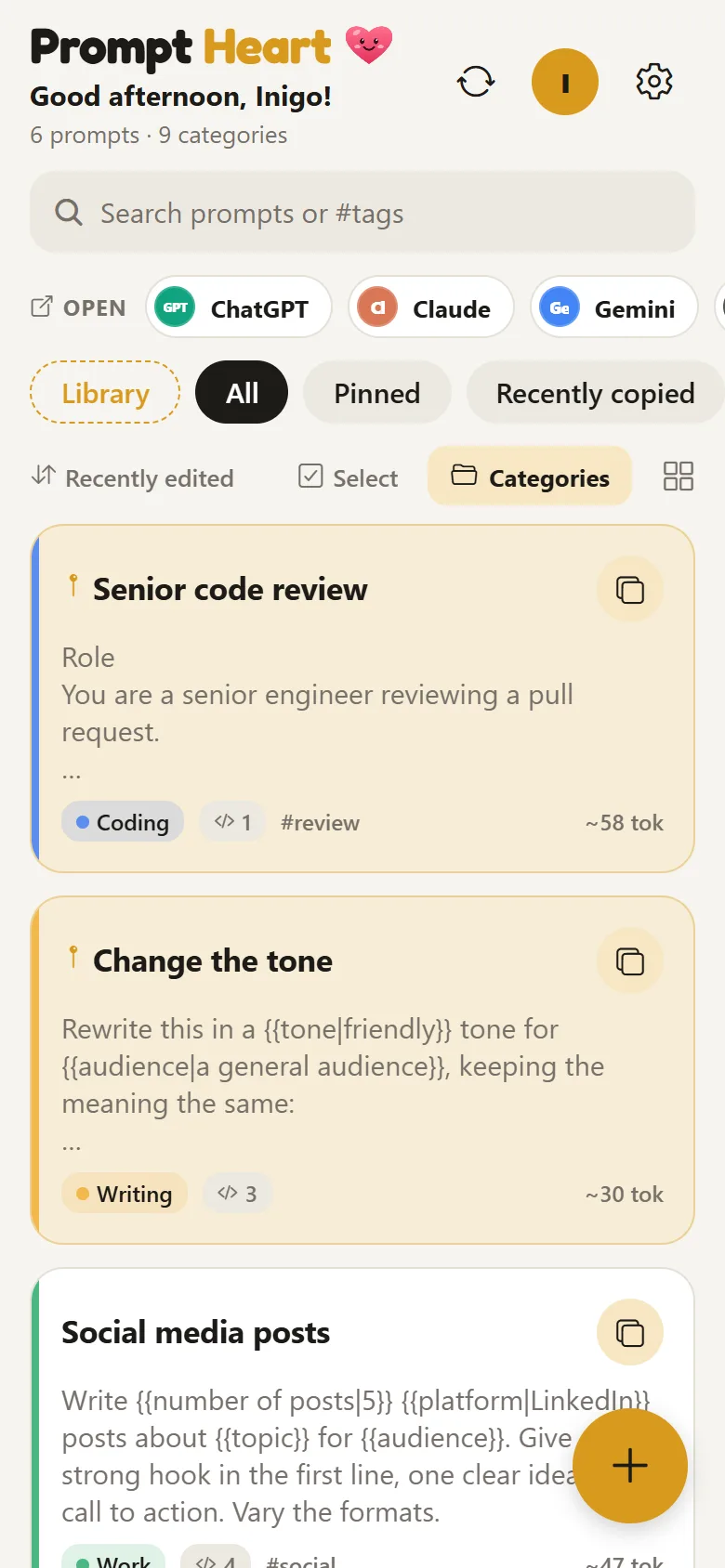
Your pinned prompts come first, then the ones you used last. One tap copies; a second opens the app with the prompt ready.

  • ChatGPT, Claude, Gemini, Grok, Perplexity and more
  • Categories, #tags, pins and search
  • A rough token count on every prompt

The home screen: pinned prompts with their categories, and an Open bar for ChatGPT, Claude and Gemini

100 prompts to start from

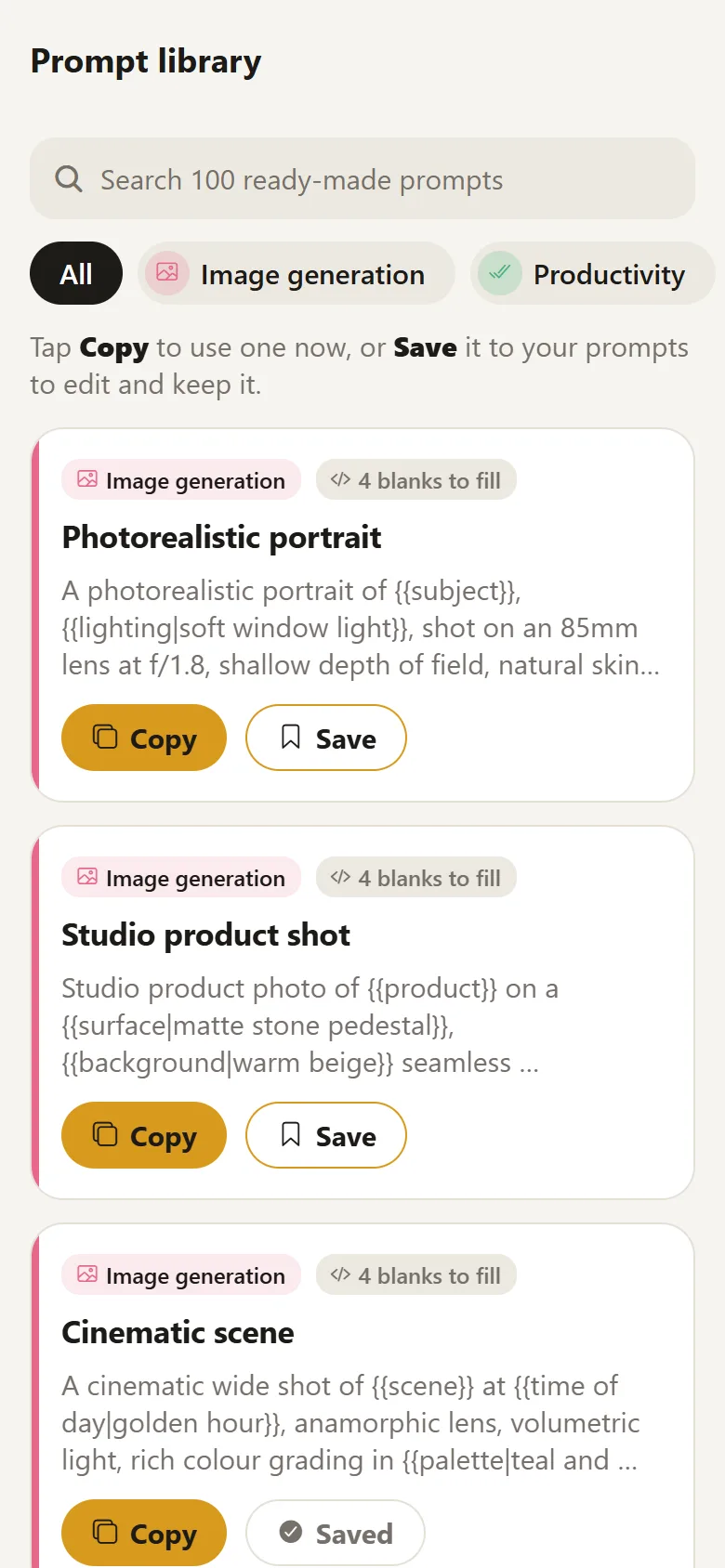
A library in ten categories, from image generation to career advice. Copy one as it is, or save it and make it your own.

  • Blanks like {{topic}} that ask as you copy
  • Defaults like {{tone|friendly}} fill themselves
  • Images, writing, coding, research and more
The prompt library: image generation prompts with Copy and Save buttons

See how you prompt

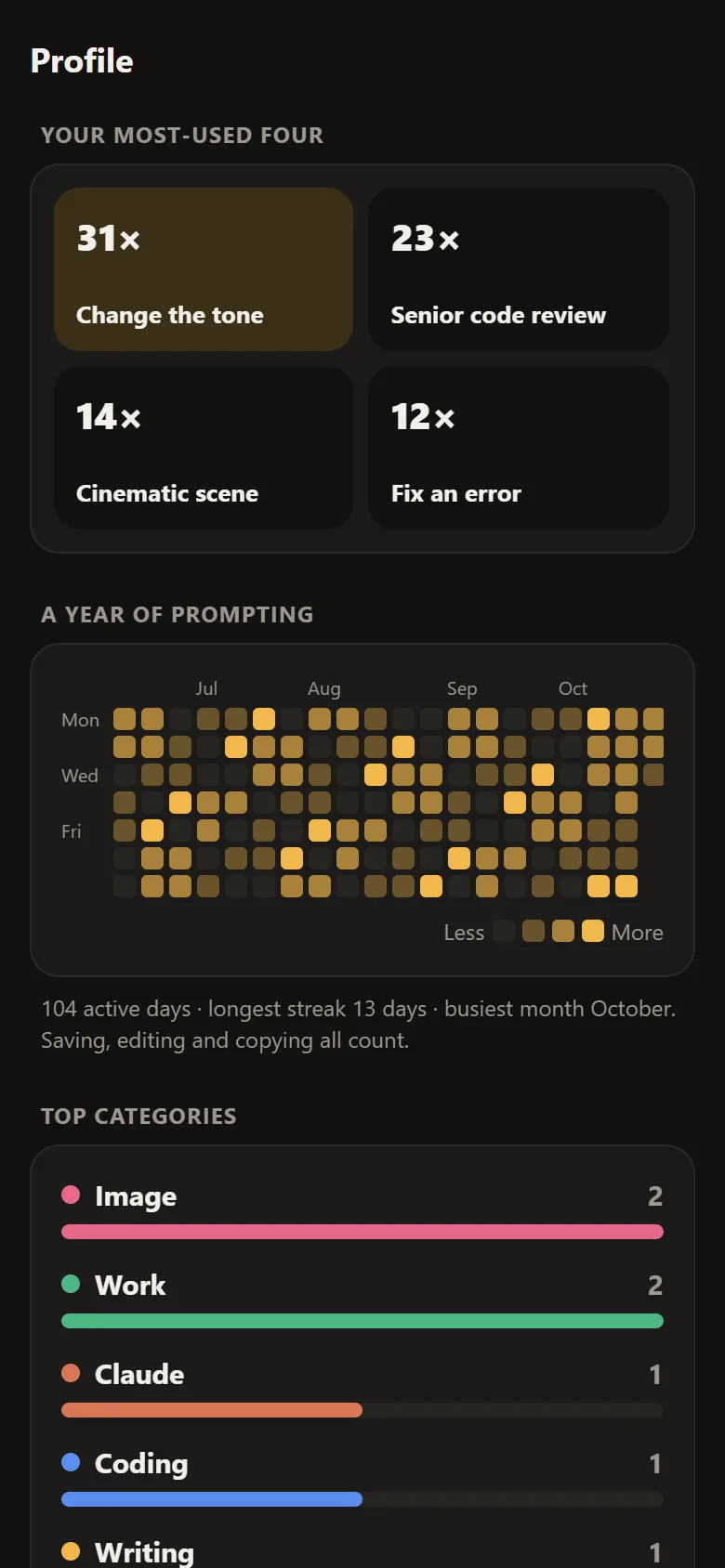
Your profile shows the four prompts you copy most, a year of activity and your streaks. All of it is worked out on your phone.

  • Eleven achievements, from wood to platinum
  • A short bio under your name
The profile: your most-used four prompts, a year of prompting as a grid of days, and top categories

And the small things

Read, then edit
Prompts open read-only. Tap Edit for bold, lists, headings, undo and redo.
Every version kept
Go back to any earlier wording in one tap.
App lock
Your fingerprint, face or screen lock, and hidden in recent apps.
Import from other apps
Spreadsheets, Notion, JSON, Markdown and text files.
Export any time
A full backup, Markdown, or a spreadsheet (CSV).
Sync if you want
A free account keeps your phones in step. No account needed.
Save from anywhere
Share text or images from any app into Prompt Heart.
Home-screen widget
Your pinned prompts, one tap to copy.
Light or dark
Accent colours, and a list or grid layout.

Get Prompt Heart

Free for Android phones. Version 1.8.2: share a prompt to any app, and blanks remember what you typed.

A note from Inigo

I kept losing good prompts in chats and screenshots, so I made one place to keep the ones that work.

Your prompts stay on your phone. There are no ads and nothing to buy, and there won’t be. If something’s missing or broken, write to me. I read everything.

Write to Inigo

Questions

Is it free?

Yes, completely. There are no ads, no subscriptions and no paid extras.

Do I need an account?

No. Everything works offline without one. An account only adds sync, so your prompts and categories follow you to another phone.

Where are my prompts kept?

On your phone. If you sign in, a copy is kept in your private account so your devices stay in sync. The privacy policy lists exactly what is stored and where.

Which AI apps does it work with?

ChatGPT, Claude, Gemini, Grok, Perplexity, Copilot, DeepSeek and Le Chat. ChatGPT, Claude, Grok and Perplexity open with your prompt already typed in; for the others it’s on your clipboard, ready to paste.

What are the blanks in a prompt?

Write {{topic}} where a prompt changes each time, or {{tone|friendly}} to give it a default. When you copy, Prompt Heart asks for each blank and fills them in.

How do I get updates?

From F-Droid, updates arrive like any other app. Smaller improvements also arrive inside the app, and after each one Prompt Heart shows what’s new.

How do I delete my account?

In the app, open Settings, tap Cloud sync, then Delete account. You can also ask for it to be deleted without the app.

Is it on Google Play or iPhone?

It’s an Android app. For now you install it from F-Droid or the APK here; Google Play is next. There is no iPhone version.