Log it in seconds
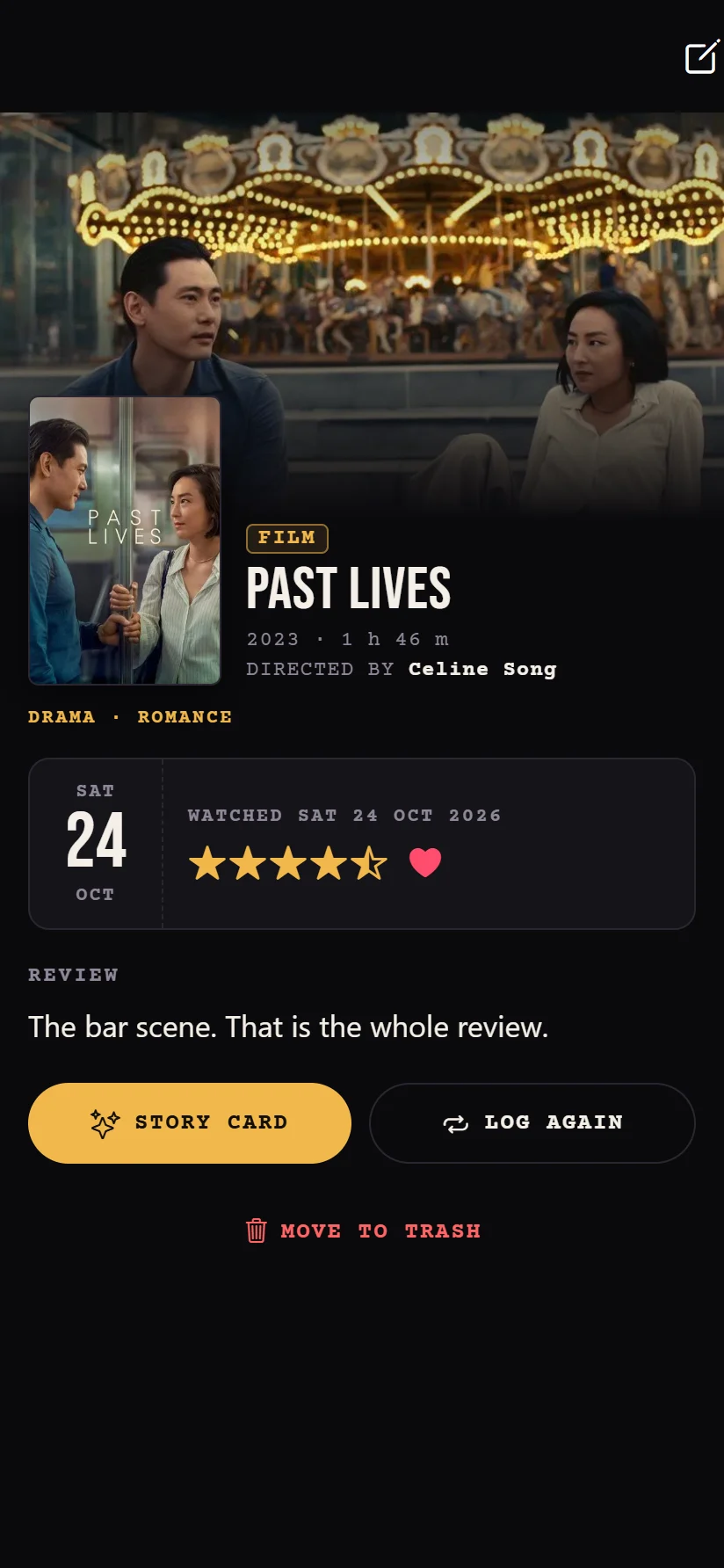
Search films, series and anime in one place, or share a link from IMDb, Letterboxd or TMDB. Then slide across the stars.
- Half stars, a heart and a review
- Rewatches, seasons and episodes
- Who you watched it with, and spoilers hidden
 Watch Heart
Download
Every film, series and anime in one place. Rate it, review it, and turn each month into an Instagram story.
Download for Android or get it on F-Droid
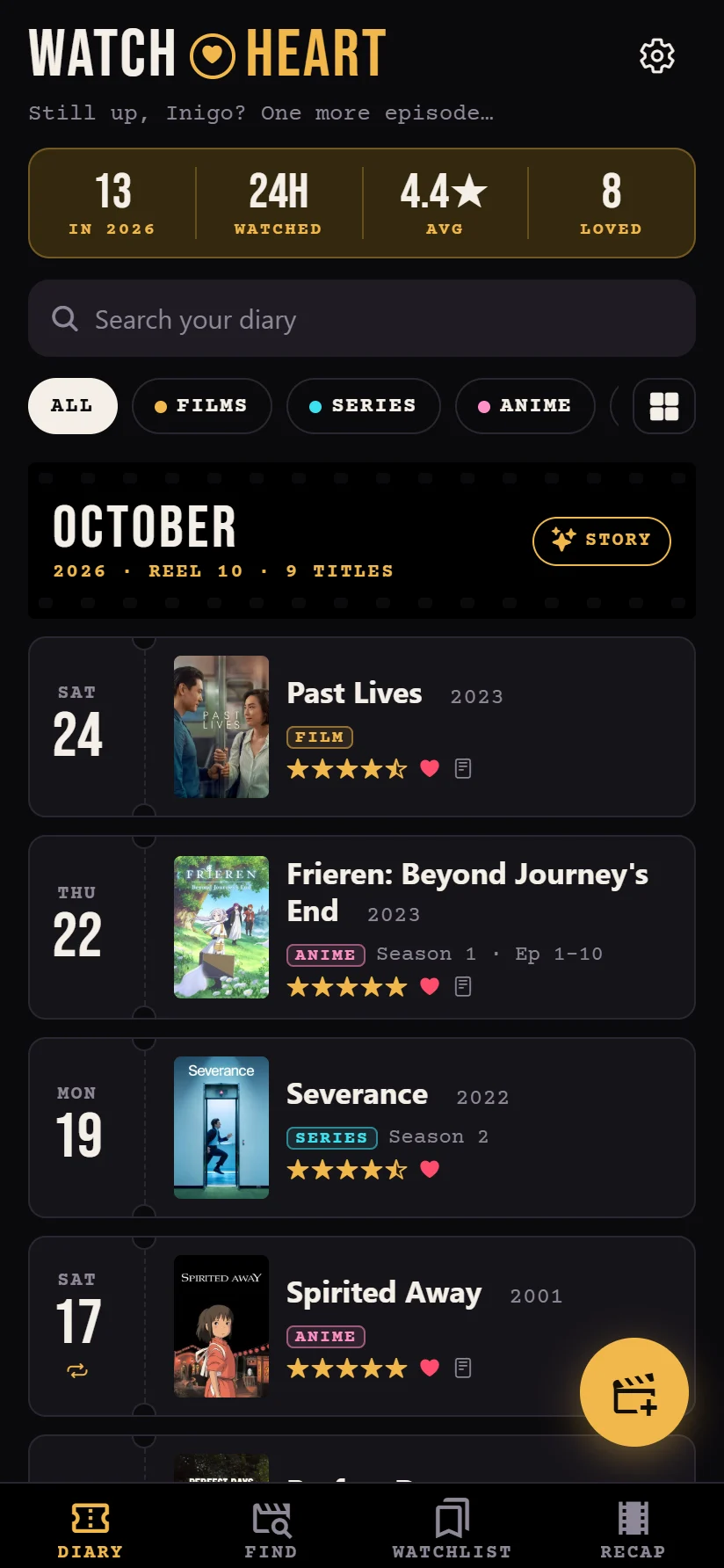
Everything between the opening titles and the end credits, and nothing you don’t need.
Search films, series and anime in one place, or share a link from IMDb, Letterboxd or TMDB. Then slide across the stars.
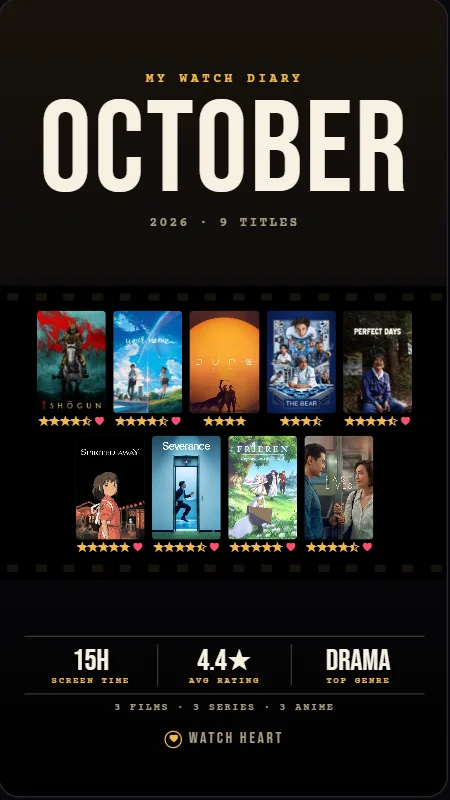
At the end of each month, Watch Heart lays out what you watched at Instagram’s story size. Pick a layout and a palette to see October.
Film strip, Marquee
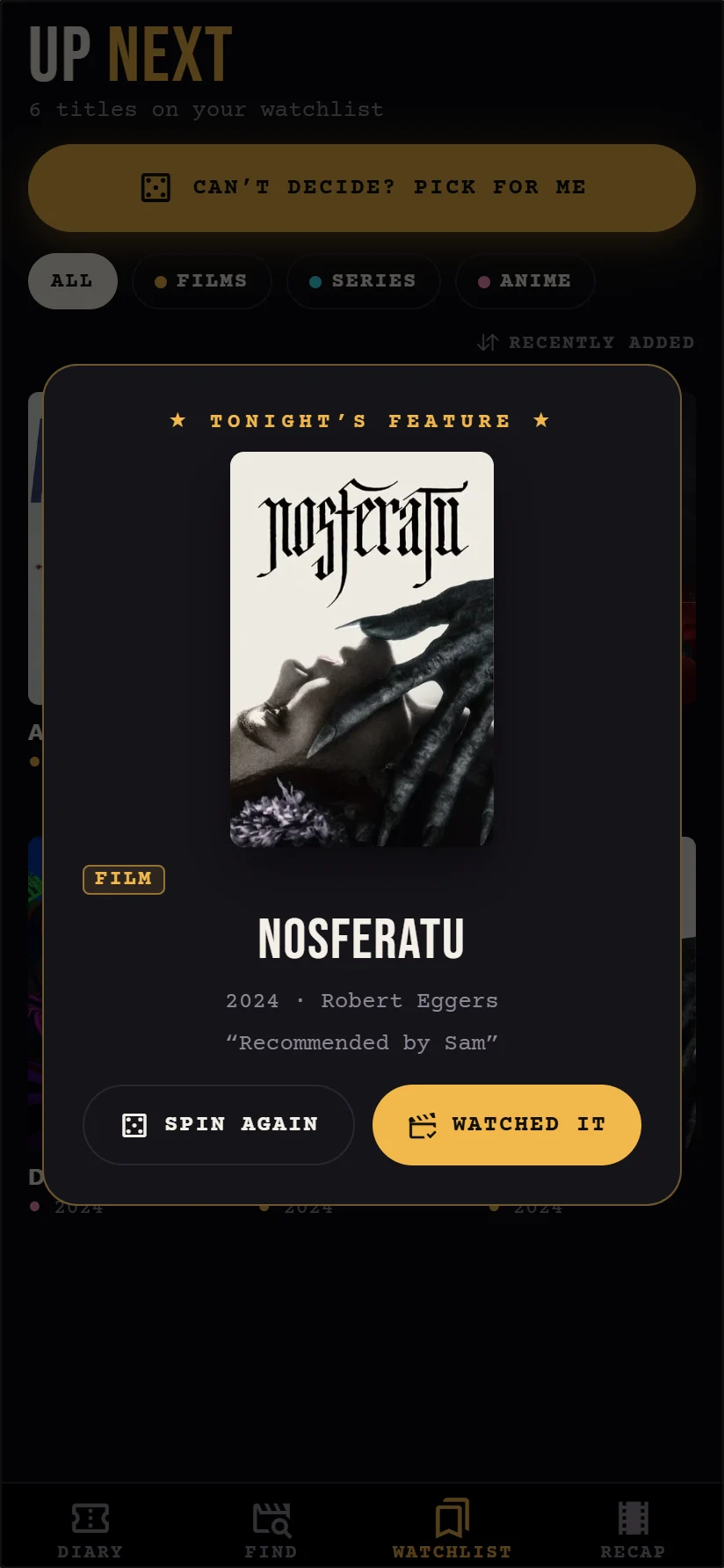
Bookmark what you want to watch. When nobody can choose, Pick for me shows tonight’s feature, and logging it takes it off the list.
Pick the file your old app exported, as it comes. Watch Heart adds what’s new and finds every poster. Import again any time: nothing doubles.
 LetterboxdDiary, ratings, reviews, likes
 IMDbRatings and watchlist
 TraktHistory and ratings
 MoviebaseThrough Trakt
 MyAnimeListCompleted and watching
 AniListIn MyAnimeList’s format
 NetflixViewing activity
 RefractWatched and reviews
 Serializd, TV TimeAny CSV or JSON export
Free for Android phones. Install it, then log the last thing you watched. Your first reel starts there.
I wanted one place for everything I watch: the film on Friday, the series I finish on Sunday, the anime I swear is the last episode at 1 am.
Your diary stays on your phone. There are no ads and nothing to buy, and there won’t be. If something’s missing or broken, write to me. I read everything.
Yes, completely: no ads, no subscriptions and no paid extras.
On your phone. If you sign in, a copy is kept in your private account so your devices stay in sync; nobody else can read it unless you add them as a friend.
Sign in, open Friends and share your invite code. Anyone who enters it becomes your friend, both ways, and you see each other’s diaries, reviews and lists. In Settings you choose what friends see. Who you watched with and your tags are never shared, and you can unfriend or make a new code any time.
No. Everything works without one. An account only adds backup and sync.
From TMDB, the free film and TV database, and from TVmaze for series. IMDb, Rotten Tomatoes and Metacritic scores come from OMDb, and where to watch from JustWatch.
Open Recap, choose the month and a look, tap Share to story, then pick Instagram and Story. You can save it to your photos too.
Smaller improvements arrive inside the app by themselves. For new versions, F-Droid updates it like any other app; with the APK, download the new one over the old and your diary stays.
In the app: Settings, tap your email under Account, then Delete account. There’s also a page for it.
It’s an Android app. Install the APK here, or get it with F-Droid. Google Play is next.